Documentation Index
Fetch the complete documentation index at: https://support.wepayments.com.br/llms.txt
Use this file to discover all available pages before exploring further.
Understanding the complete lifecycle of a transaction – from creation to settlement – is essential for effective payment operations. This guide explains all transaction statuses, how monitoring impacts the lifecycle, and the release process for transactions under review.
Payin Statuses (Incoming Transactions)
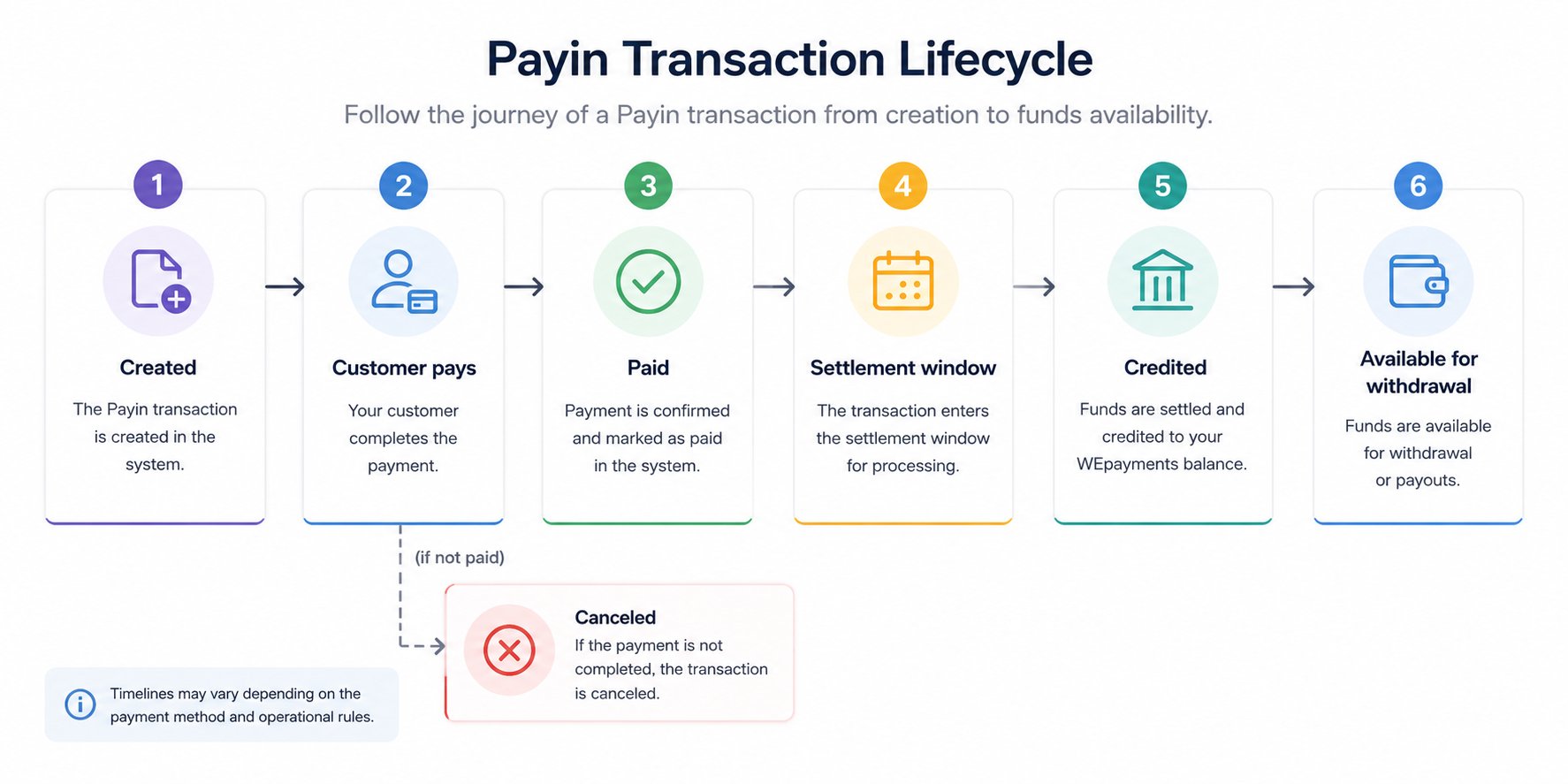
When you receive payments from customers via Payin, each transaction progresses through the following statuses:
| Status | Meaning | What happens next |
|---|
| Created | Charge generated, awaiting payment | Customer must complete payment (PIX, boleto, or credit card) |
| Paid | Payment confirmed, but not yet credited (common for boleto) | Awaiting settlement window (e.g., D+1 for boleto) |
| Credited | Amount available for withdrawal | Funds appear in Available Balance |
| Canceled | Not paid by due date or manually canceled (from “Created” status) | No funds are transferred |
| Rejected | Credit card payment rejected (fraud, incorrect data, bank rejection) | Customer must use another payment method |
| Awaiting approval | Credit card payment pending issuer confirmation | Typically resolves within minutes |
| Confirmed | Credit card payment confirmed by issuer | Moves to settlement (early or flow) |
| Under Review | Compliance or fraud analysis in progress | Awaiting documentation or analysis completion |

Payin flow diagram
Payout Statuses (Outgoing Transactions)
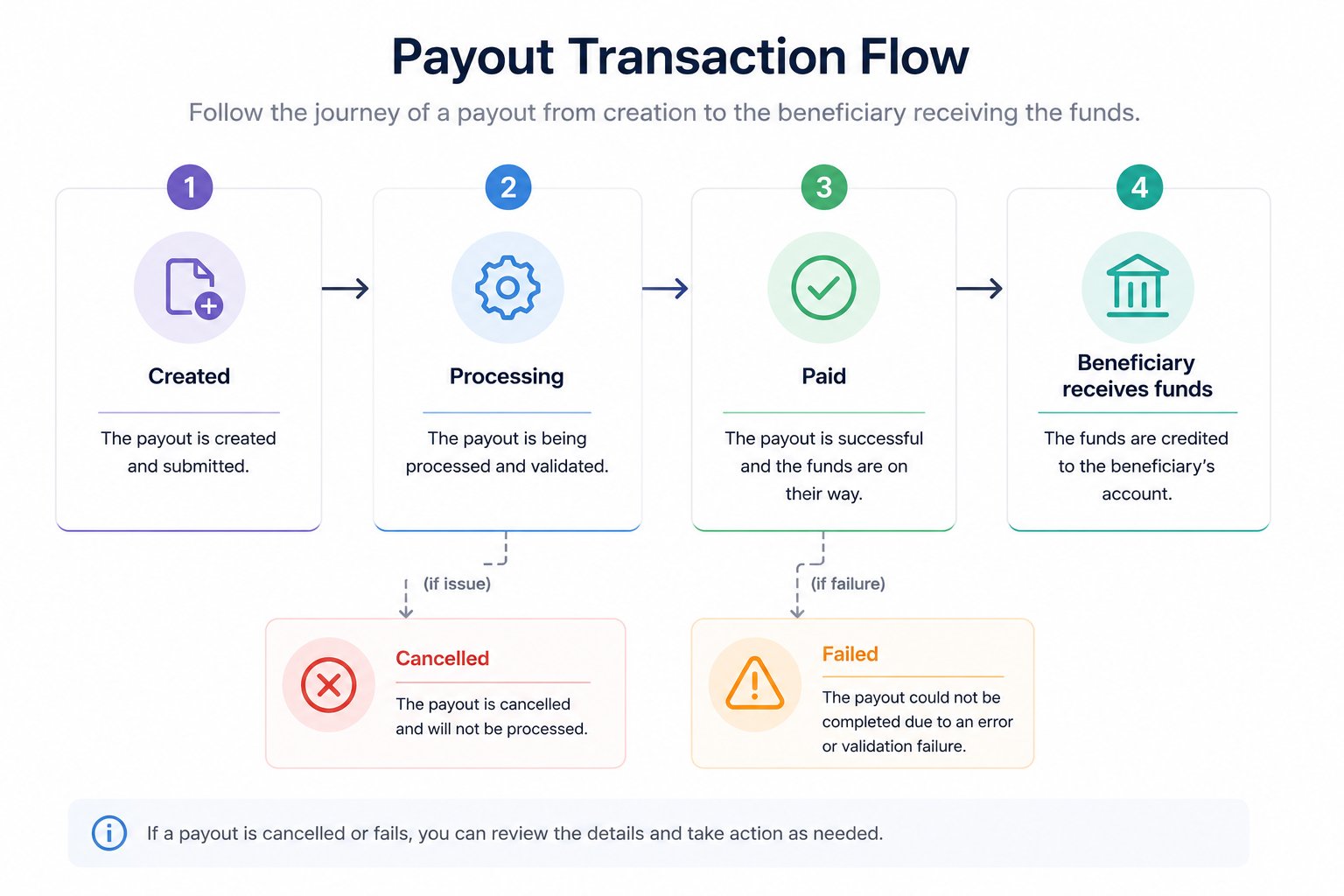
When you send payments to beneficiaries via Payout, each transaction progresses through these statuses:
| Status | Meaning | What happens next |
|---|
| Created | Payment initiated, awaiting processing | System validates data and checks balance |
| Processing | Payment is being processed by WEpayments or banking system | Awaiting execution |
| Paid | Payment successfully completed | Beneficiary has received funds |
| Failed | Payment failed (incorrect data, insufficient balance, bank rejection) | Check reason and create new payment |
| Cancelled | Payment was cancelled before processing | No funds were transferred |
| Under Review | Compliance or risk analysis in progress | See “Transactions Under Review” section |
Payout flow diagram
How does transactional monitoring impact my operation?
Transactional monitoring continuously analyzes all payments in real time. Depending on the risk assessment, a transaction may:
| Monitoring outcome | Impact on transaction | Your action required |
|---|
| Auto-approved | Transaction proceeds normally | None – monitor normally |
| Flagged for review | Status changes to “Under Review” | Submit documentation (see article 6) |
| Blocked | Transaction rejected immediately | Contact support to understand why |
| MED notification | Transaction frozen, investigation begins | Provide evidence of transaction legitimacy |
💡 Monitoring applies to both Payin and Payout transactions. The goal is to protect your business from fraud and ensure regulatory compliance.
What is the transaction release deadline after sending documents for KYC analysis?
After you submit the required documents for a transaction under review:
| Scenario | Typical timeline |
|---|
| Standard review | 1–3 business days |
| Complex review | 3–5 business days |
| MED or regulatory notification | 5–10 business days (varies by case) |
⚠️ Incomplete documentation or complex cases may extend the timeline. Responding quickly to follow-up requests accelerates the process.
Credit Card installment lifecycle
For credit card transactions with installments (parcelamento), the lifecycle differs based on your settlement model:
Early settlement model (antecipação)
| Event | Timing |
|---|
| Customer makes purchase | Day 0 |
| Payment confirmed | Within minutes |
| Funds credited (early settlement) | D+0 (domestic) or D+1 (international) |
| Available for withdrawal | Immediately after credit |
Flow settlement model (without early settlement)
| Installment | When funds are credited |
|---|
| 1st installment | D+30 (domestic) or D+31 (international) |
| 2nd installment | D+60 or D+62 |
| 3rd installment | D+90 or D+93 |
| … | … |
| 12th installment | D+360 or D+372 |
💡 You can track future installment receipts in the Dashboard > Statement > Credit Card – Installment Calendar tab.
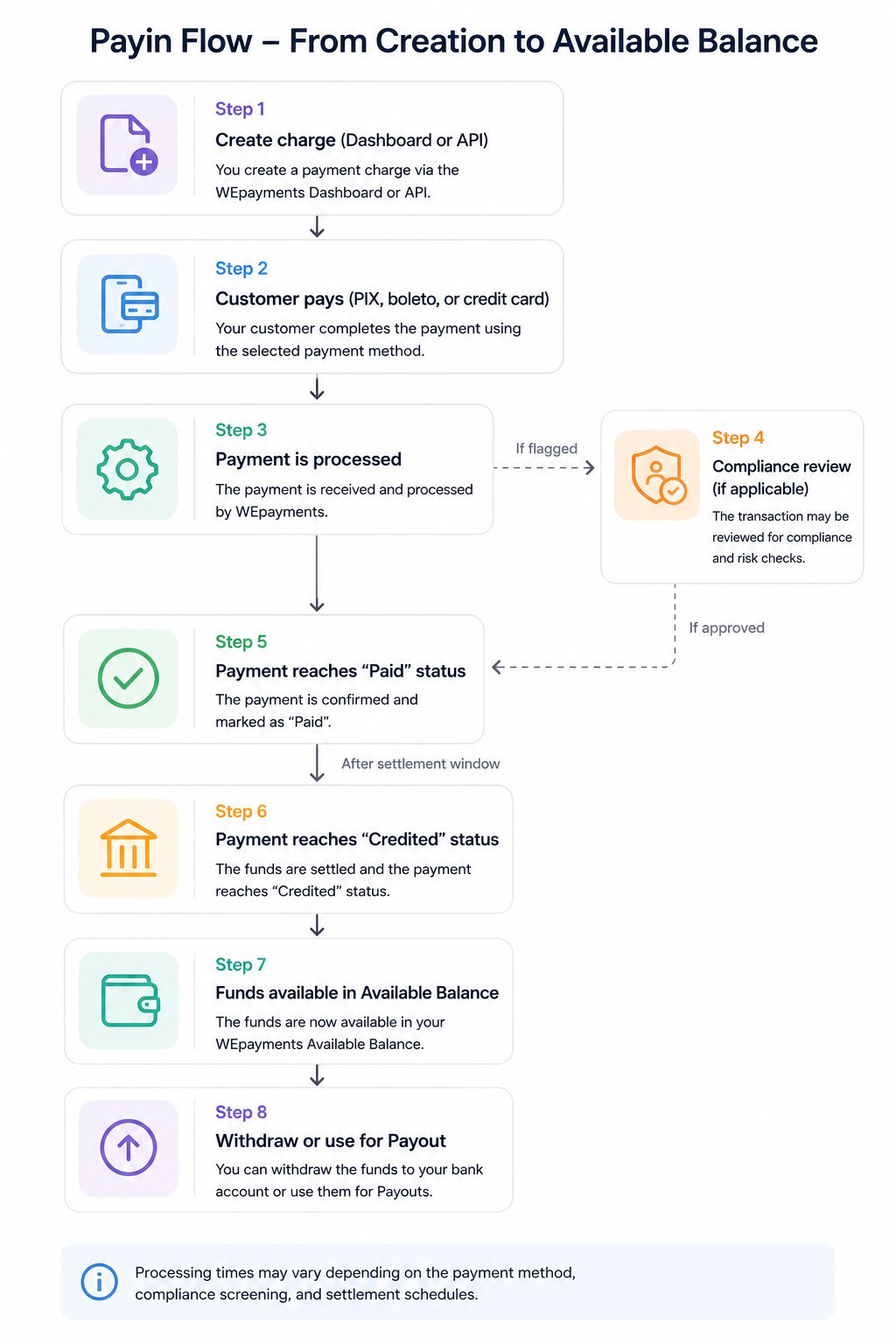
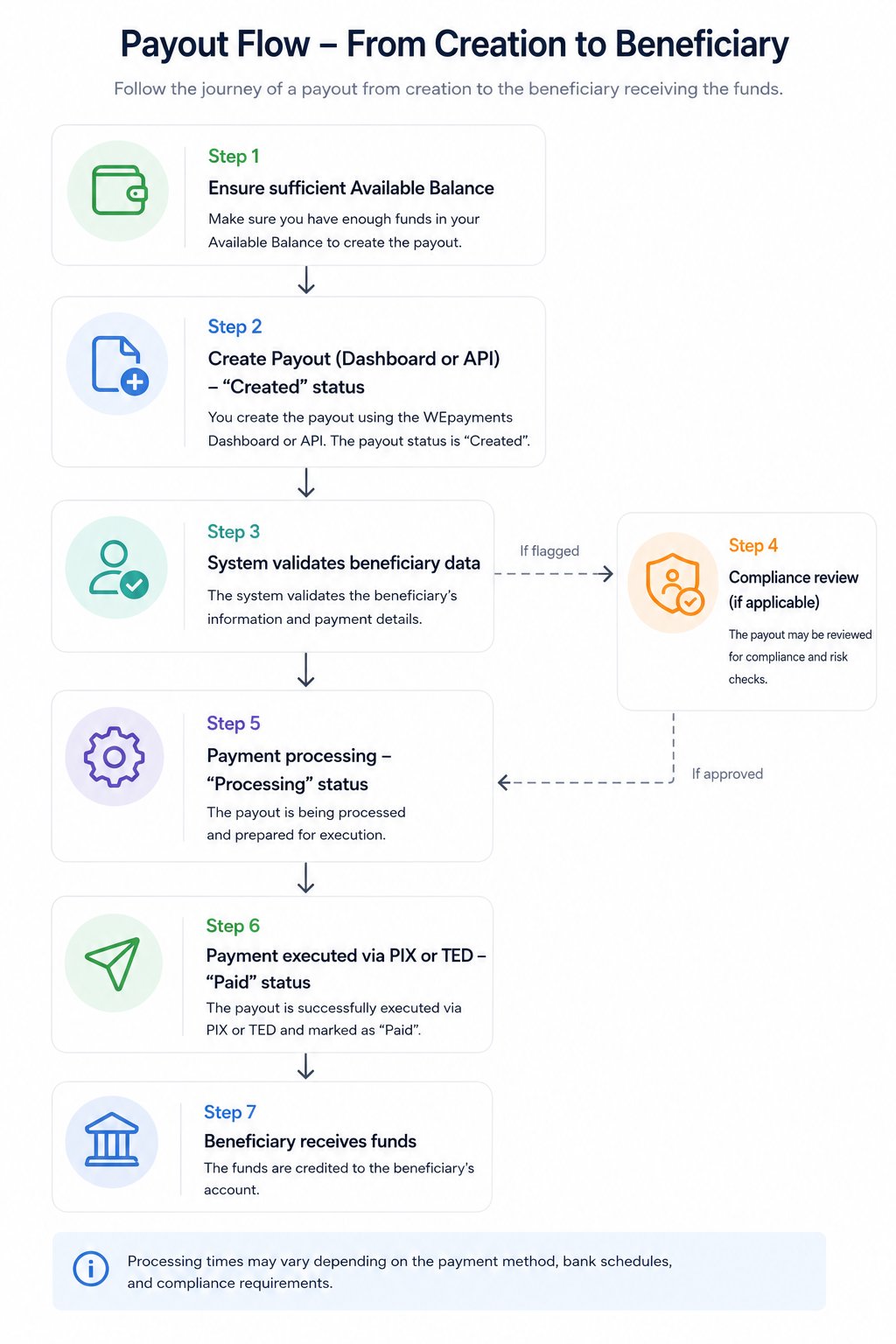
Complete transaction lifecycle summary
For Payin (receiving money)
For Payout (sending money)