

Documentation Index

Fetch the complete documentation index at: https://support.wepayments.com.br/llms.txt

Use this file to discover all available pages before exploring further.

This guide provides an end-to-end overview of payment operations on the WEpayments platform, covering Payin (receiving), Payout (sending), unified statements, and settlements.

What is Payin?

Payin is our incoming payment solution that enables your website, app, or platform to issue and manage payments in Brazil through:
Payment methodDescription
Credit CardVisa, Mastercard, Elo, Hipercard, Diners Club, American Express – with installment options up to 12x
PIXInstant payments 24/7 via dynamic QR Code or copy-paste link
Boleto BancárioTraditional bank slip – widely used, settlement in D+1
💡 Through processor redundancy, we ensure your checkout will be 100% online. For international companies, Payin comes with FX solutions for currency exchange and settlement in any foreign currency.

Payin flow (simplified)
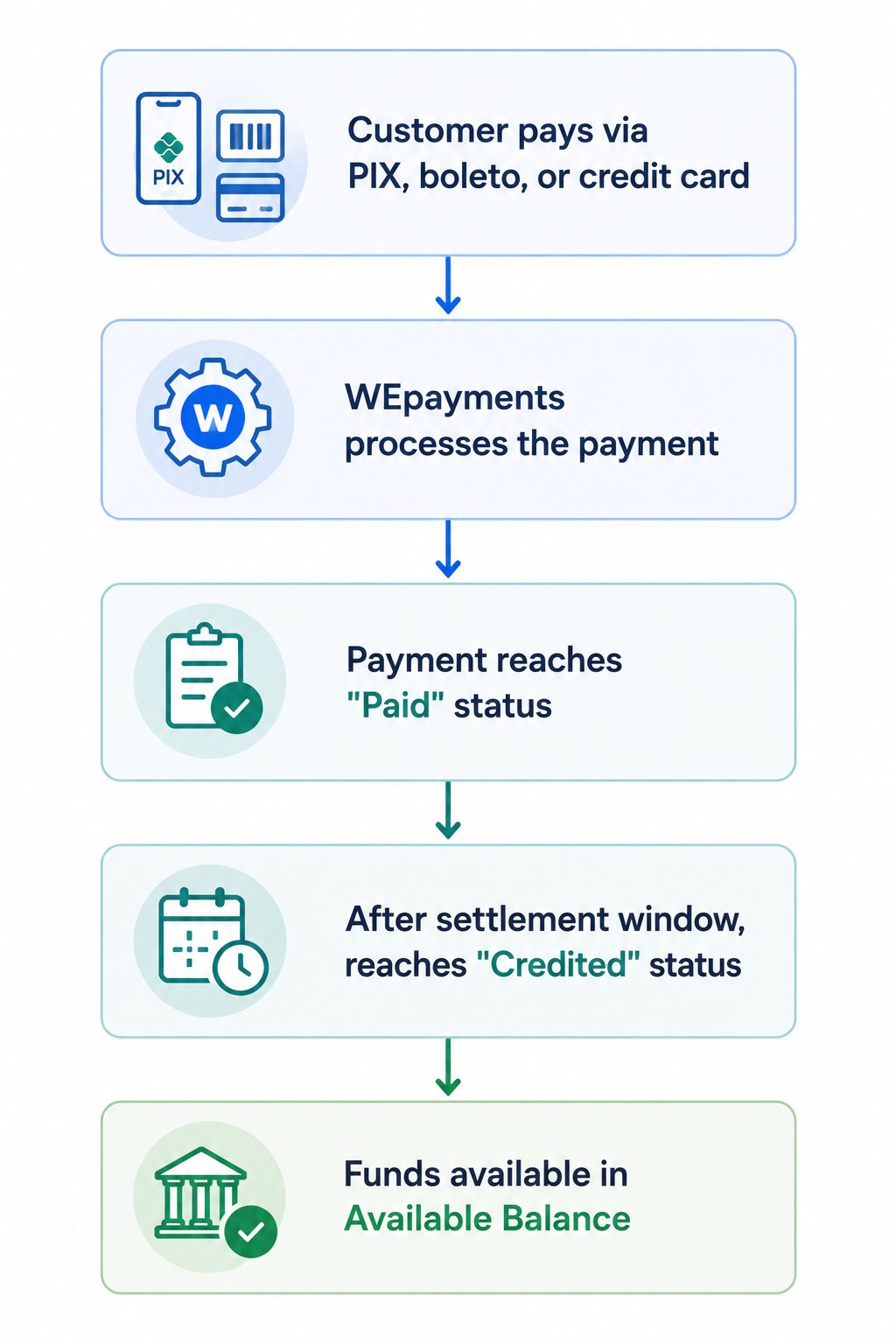
Chat GPT Image 1 De Jun De 2026, 09 33 08

What is Payout?

Payout is our outgoing payment solution designed for companies that need to make mass payments to beneficiaries, associates, and suppliers in Brazil.
FeatureDescription
Primary methodPIX – instant payments 24/7
AlternativeTED (bank transfer) – for amounts above R$15,000
FX solutionsFor international companies
IntelligenceMaximizes payment conversion even with limited bank account data

Payout flow (step-by-step)

StepDescription
1. Add balanceTop up your account via bank transfer or use available Payin balance
2. Choose processing typeSelect individual Payout or mass payments
3. Enter Payout detailsProvide payment details and amount, or use Data Collect for self-onboarding
4. eFX (if applicable)WEpayments finds the best exchange rate and converts funds to BRL
5. ProcessingWEpayments analyzes data – if correct, payment made via PIX or TED
6. ManagementMonitor status via API or Dashboard, issue reports, download receipts

Unified statement (Account > Statement)

The Unified Statement brings together all financial movements of your account in one place:
What you seeDescription
Available balanceAmount you can use immediately
Balance awaiting releaseFunds held due to pending KYC/compliance
Payin transactionsIncoming payments (appear as credits)
Payout transactionsOutgoing payments (appear as debits)
FeesTransaction fees and adjustments
Future credit card installmentsMonth-by-month expected receipts

How to access

  1. Go to Account in the left sidebar
  2. Click Statement
  3. Select a period (required)
  4. Apply filters as needed (WE ID, category)
  5. Download or view results

Settlements (withdrawals)

The Settlements screen allows you to request withdrawals and transfer balance between wallets.

How to create a settlement

FieldDescription
MerchantSelect your registered company name
RecipientIf you have sub-wallets, select the sub-wallet (optional)
AmountEnter amount to withdraw (must not exceed Available Balance)
Create settlementClick to submit

Balance types

BalanceDescription
Total balanceAll amounts from charges that have been credited + charges paid but not yet credited
Available balanceAmount actually available for withdrawal

End-to-end operation summary

For receiving money (Payin)

PhaseAction
IntegrationIntegrate via API or use Dashboard
Charge creationGenerate charge for customer
PaymentCustomer pays via PIX, boleto, or credit card
SettlementFunds reach “Credited” status
WithdrawalRequest settlement to withdraw funds

For sending money (Payout)

PhaseAction
BalanceAdd funds via deposit or Payin balance
Data collectionUse Data Collect or manual entry
Payment creationCreate individual or mass payment
ProcessingWEpayments validates and executes
MonitoringTrack status via Dashboard or API