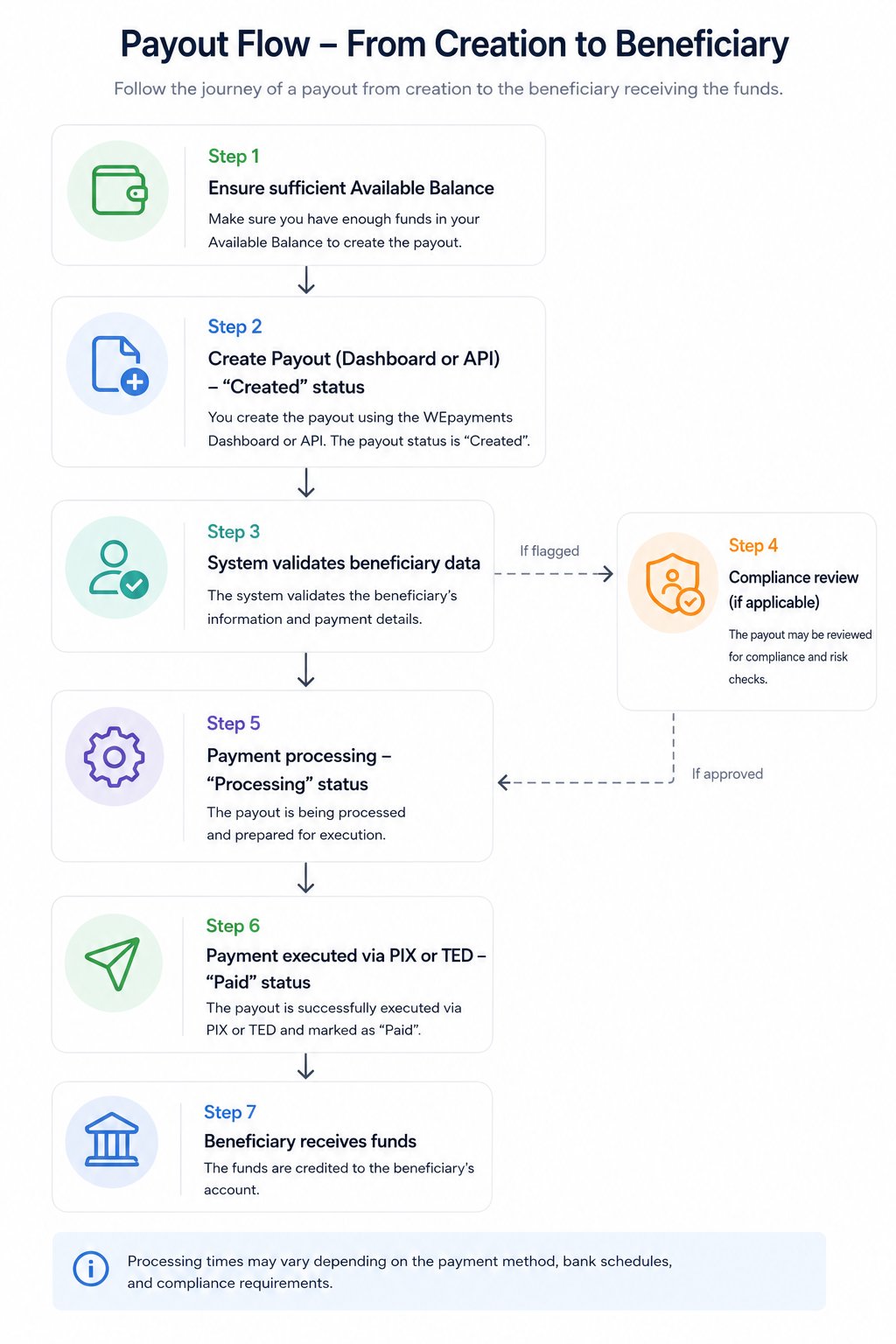
> ## Documentation Index
> Fetch the complete documentation index at: https://support.wepayments.com.br/llms.txt
> Use this file to discover all available pages before exploring further.
# Transactions Lifecycle
Understanding the complete lifecycle of a transaction – from creation to settlement – is essential for effective payment operations. This guide explains all transaction statuses, how monitoring impacts the lifecycle, and the release process for transactions under review.
## Payin Statuses (Incoming Transactions)
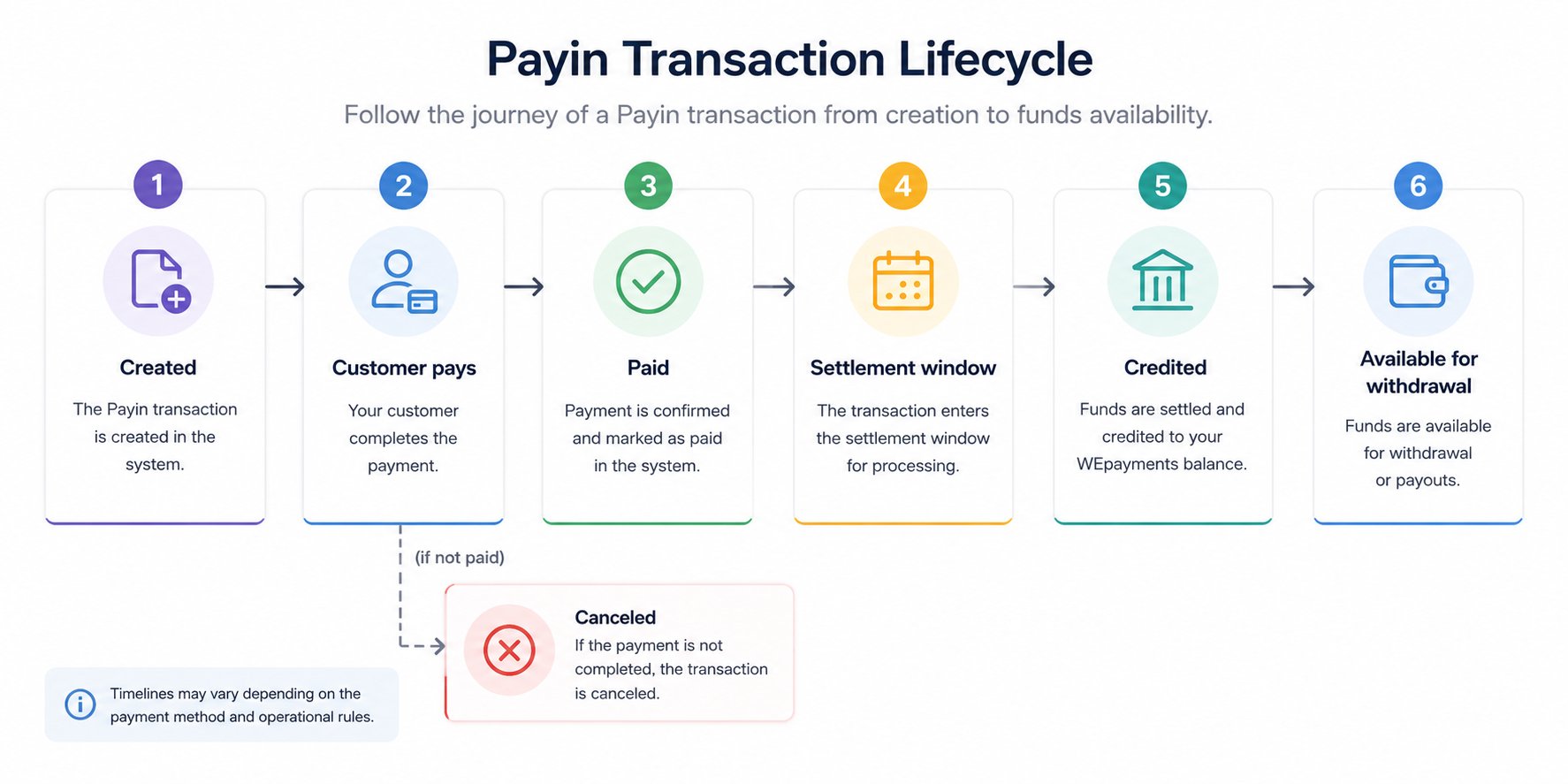
When you receive payments from customers via Payin, each transaction progresses through the following statuses:
| **Status** | **Meaning** | **What happens next** |
| :-------------------- | :------------------------------------------------------------------- | :----------------------------------------------------------- |
| **Created** | Charge generated, awaiting payment | Customer must complete payment (PIX, boleto, or credit card) |
| **Paid** | Payment confirmed, but not yet credited (common for boleto) | Awaiting settlement window (e.g., D+1 for boleto) |
| **Credited** | Amount available for withdrawal | Funds appear in Available Balance |
| **Canceled** | Not paid by due date or manually canceled (from "Created" status) | No funds are transferred |
| **Rejected** | Credit card payment rejected (fraud, incorrect data, bank rejection) | Customer must use another payment method |
| **Awaiting approval** | Credit card payment pending issuer confirmation | Typically resolves within minutes |
| **Confirmed** | Credit card payment confirmed by issuer | Moves to settlement (early or flow) |
| **Under Review** | Compliance or fraud analysis in progress | Awaiting documentation or analysis completion |
### Payin flow diagram
 ## Payout Statuses (Outgoing Transactions)
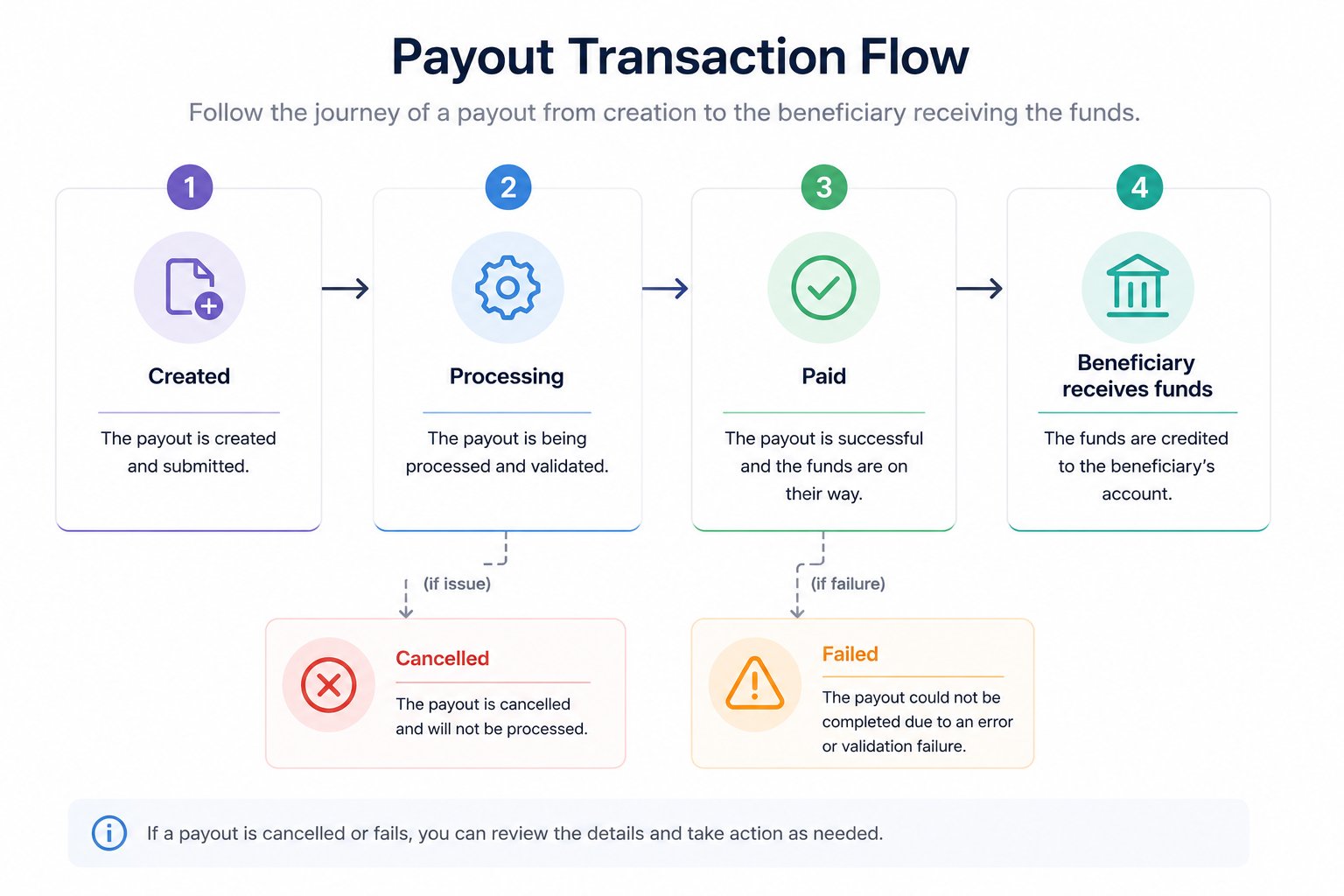
When you send payments to beneficiaries via Payout, each transaction progresses through these statuses:
| **Status** | **Meaning** | **What happens next** |
| :--------------- | :-------------------------------------------------------------------- | :--------------------------------------- |
| **Created** | Payment initiated, awaiting processing | System validates data and checks balance |
| **Processing** | Payment is being processed by WEpayments or banking system | Awaiting execution |
| **Paid** | Payment successfully completed | Beneficiary has received funds |
| **Failed** | Payment failed (incorrect data, insufficient balance, bank rejection) | Check reason and create new payment |
| **Cancelled** | Payment was cancelled before processing | No funds were transferred |
| **Under Review** | Compliance or risk analysis in progress | See "Transactions Under Review" section |
### Payout flow diagram
## Payout Statuses (Outgoing Transactions)
When you send payments to beneficiaries via Payout, each transaction progresses through these statuses:
| **Status** | **Meaning** | **What happens next** |
| :--------------- | :-------------------------------------------------------------------- | :--------------------------------------- |
| **Created** | Payment initiated, awaiting processing | System validates data and checks balance |
| **Processing** | Payment is being processed by WEpayments or banking system | Awaiting execution |
| **Paid** | Payment successfully completed | Beneficiary has received funds |
| **Failed** | Payment failed (incorrect data, insufficient balance, bank rejection) | Check reason and create new payment |
| **Cancelled** | Payment was cancelled before processing | No funds were transferred |
| **Under Review** | Compliance or risk analysis in progress | See "Transactions Under Review" section |
### Payout flow diagram
 ## How does transactional monitoring impact my operation?
Transactional monitoring continuously analyzes all payments in real time. Depending on the risk assessment, a transaction may:
| **Monitoring outcome** | **Impact on transaction** | **Your action required** |
| :--------------------- | :--------------------------------------- | :----------------------------------------- |
| **Auto-approved** | Transaction proceeds normally | None – monitor normally |
| **Flagged for review** | Status changes to "Under Review" | Submit documentation (see article 6) |
| **Blocked** | Transaction rejected immediately | Contact support to understand why |
| **MED notification** | Transaction frozen, investigation begins | Provide evidence of transaction legitimacy |
> 💡 Monitoring applies to **both Payin and Payout** transactions. The goal is to protect your business from fraud and ensure regulatory compliance.
## What is the transaction release deadline after sending documents for KYC analysis?
After you submit the required documents for a transaction under review:
| **Scenario** | **Typical timeline** |
| :--------------------------------- | :---------------------------------- |
| **Standard review** | 1–3 business days |
| **Complex review** | 3–5 business days |
| **MED or regulatory notification** | 5–10 business days (varies by case) |
> ⚠️ Incomplete documentation or complex cases may extend the timeline. Responding quickly to follow-up requests accelerates the process.
## Credit Card installment lifecycle
For credit card transactions with **installments** (parcelamento), the lifecycle differs based on your settlement model:
### Early settlement model (antecipação)
| **Event** | **Timing** |
| :-------------------------------- | :------------------------------------ |
| Customer makes purchase | Day 0 |
| Payment confirmed | Within minutes |
| Funds credited (early settlement) | D+0 (domestic) or D+1 (international) |
| Available for withdrawal | Immediately after credit |
### Flow settlement model (without early settlement)
| **Installment** | **When funds are credited** |
| :--------------- | :-------------------------------------- |
| 1st installment | D+30 (domestic) or D+31 (international) |
| 2nd installment | D+60 or D+62 |
| 3rd installment | D+90 or D+93 |
| ... | ... |
| 12th installment | D+360 or D+372 |
> 💡 You can track future installment receipts in the **Dashboard > Statement > Credit Card – Installment Calendar** tab.
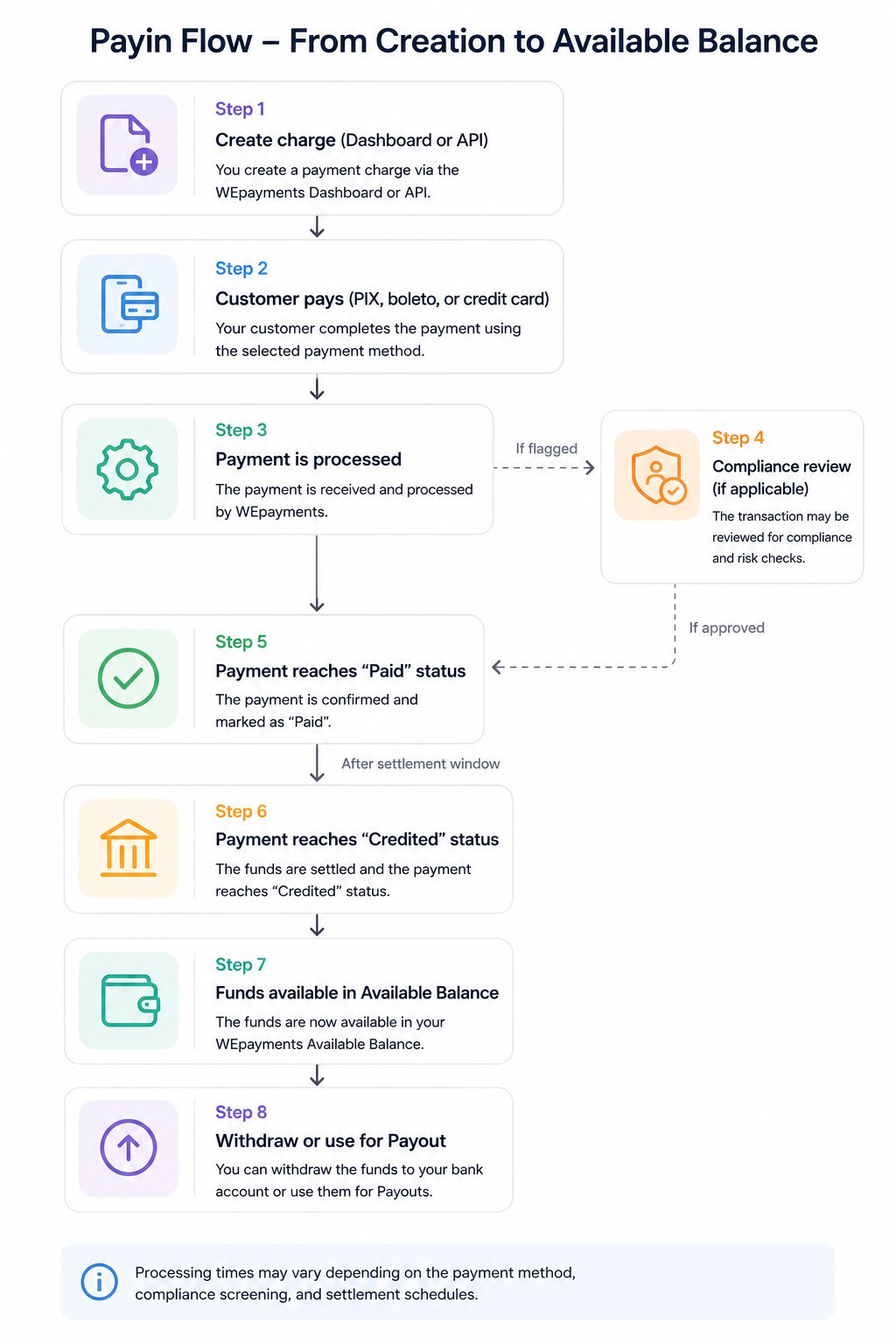
## Complete transaction lifecycle summary
### For Payin (receiving money)
## How does transactional monitoring impact my operation?
Transactional monitoring continuously analyzes all payments in real time. Depending on the risk assessment, a transaction may:
| **Monitoring outcome** | **Impact on transaction** | **Your action required** |
| :--------------------- | :--------------------------------------- | :----------------------------------------- |
| **Auto-approved** | Transaction proceeds normally | None – monitor normally |
| **Flagged for review** | Status changes to "Under Review" | Submit documentation (see article 6) |
| **Blocked** | Transaction rejected immediately | Contact support to understand why |
| **MED notification** | Transaction frozen, investigation begins | Provide evidence of transaction legitimacy |
> 💡 Monitoring applies to **both Payin and Payout** transactions. The goal is to protect your business from fraud and ensure regulatory compliance.
## What is the transaction release deadline after sending documents for KYC analysis?
After you submit the required documents for a transaction under review:
| **Scenario** | **Typical timeline** |
| :--------------------------------- | :---------------------------------- |
| **Standard review** | 1–3 business days |
| **Complex review** | 3–5 business days |
| **MED or regulatory notification** | 5–10 business days (varies by case) |
> ⚠️ Incomplete documentation or complex cases may extend the timeline. Responding quickly to follow-up requests accelerates the process.
## Credit Card installment lifecycle
For credit card transactions with **installments** (parcelamento), the lifecycle differs based on your settlement model:
### Early settlement model (antecipação)
| **Event** | **Timing** |
| :-------------------------------- | :------------------------------------ |
| Customer makes purchase | Day 0 |
| Payment confirmed | Within minutes |
| Funds credited (early settlement) | D+0 (domestic) or D+1 (international) |
| Available for withdrawal | Immediately after credit |
### Flow settlement model (without early settlement)
| **Installment** | **When funds are credited** |
| :--------------- | :-------------------------------------- |
| 1st installment | D+30 (domestic) or D+31 (international) |
| 2nd installment | D+60 or D+62 |
| 3rd installment | D+90 or D+93 |
| ... | ... |
| 12th installment | D+360 or D+372 |
> 💡 You can track future installment receipts in the **Dashboard > Statement > Credit Card – Installment Calendar** tab.
## Complete transaction lifecycle summary
### For Payin (receiving money)
 ### For Payout (sending money)