> ## Documentation Index
> Fetch the complete documentation index at: https://support.wepayments.com.br/llms.txt
> Use this file to discover all available pages before exploring further.
# How to Create a Payin in the Dashboard
Once you enter youre dashboard, you're go to the left section and look for Payin, then, go to List of Payin to start a new request or to check a list of all payins received.
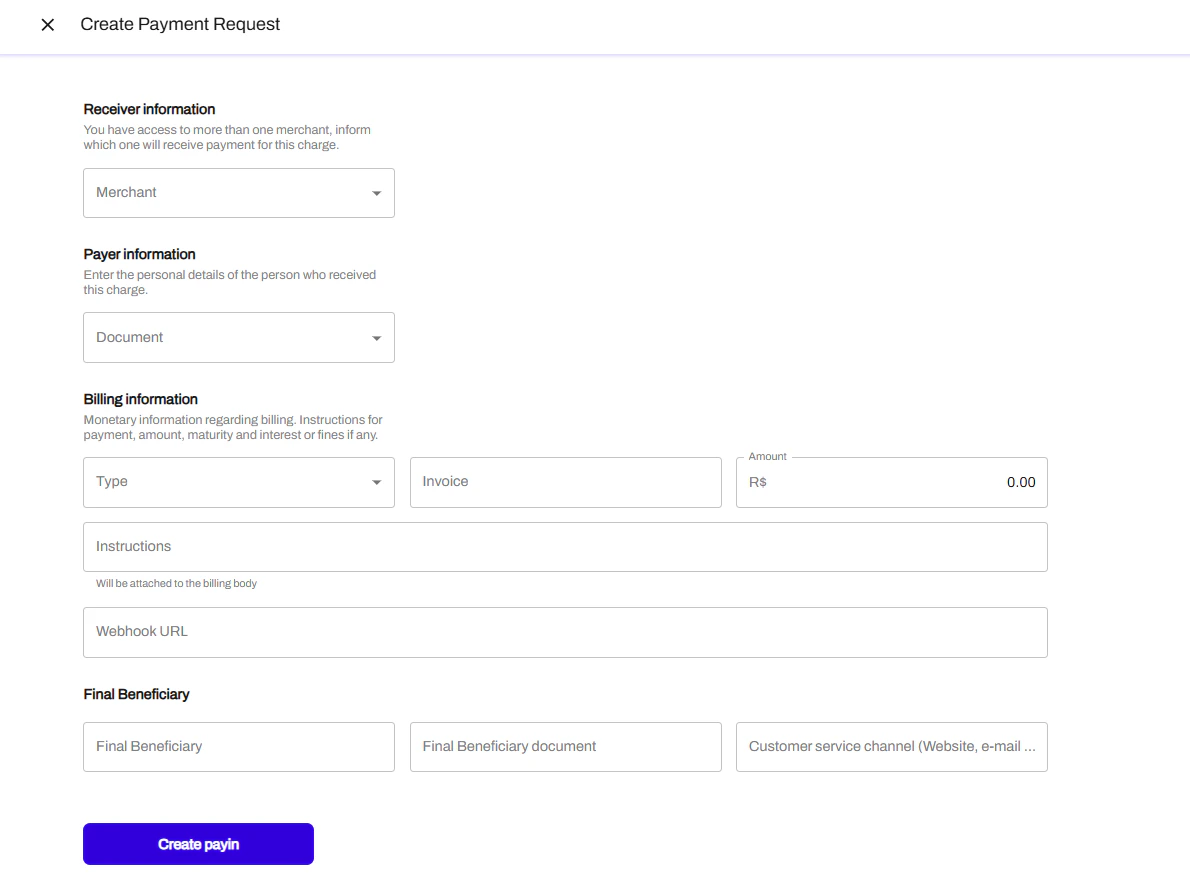 In this page, you will chose "Create Payment Request" and then the following page will be opened for you to add the required information.
 **Receiver information**: is the account of the owner of the money. If you work with submerchants model, this field will be the submerchant's account. If you process with only 1 MID this will be your account.
**Payer Information**: required information for the payer. Usualy CPF and payer name.
**Billing Information**:
* Type: PIX
* Invoice: your internal code for this transaction
* Amount: value of the payment
* Instructions: notes for the payer (if applicable)
* Webhook URL: field for you to add your webhook url to receive notifications and updates about the payment.
**Final Beneficiary:** Name, document and website of the one whose account will receive the money.
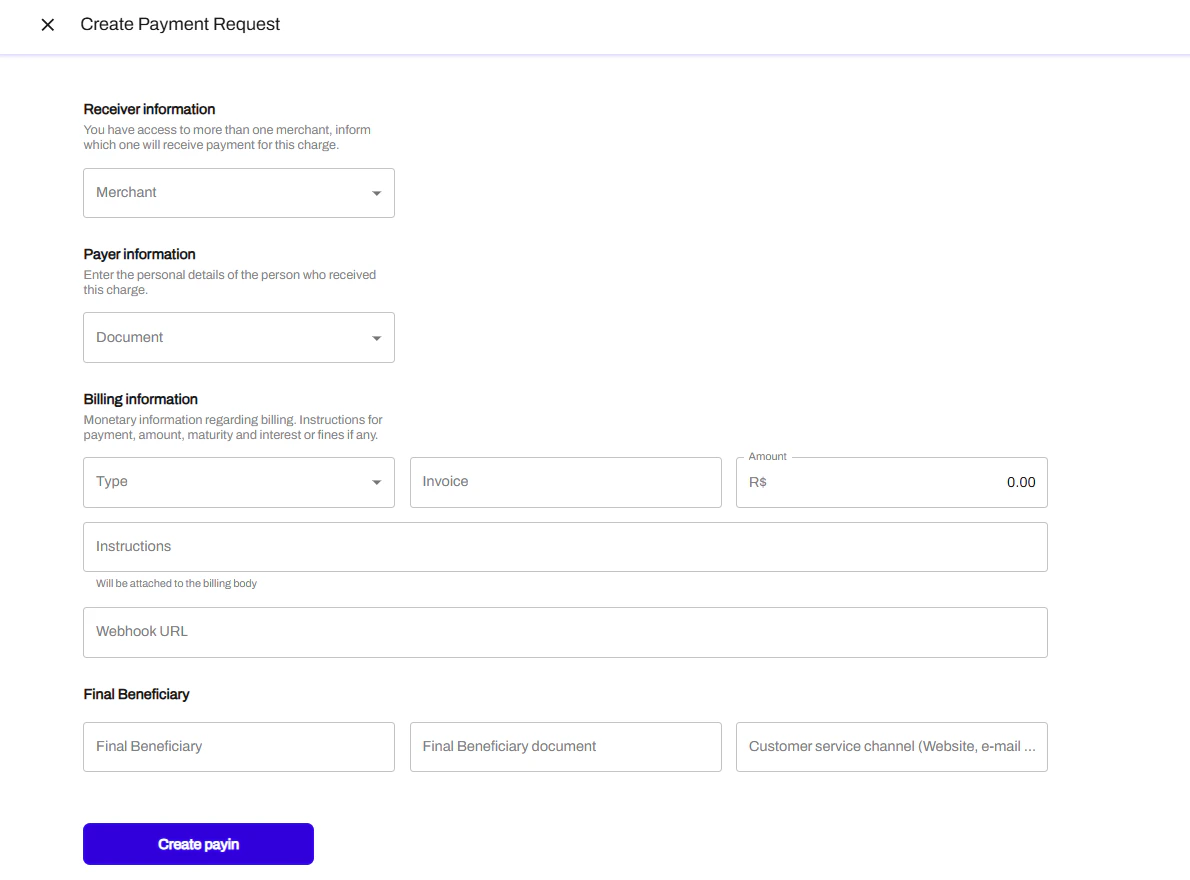
**Receiver information**: is the account of the owner of the money. If you work with submerchants model, this field will be the submerchant's account. If you process with only 1 MID this will be your account.
**Payer Information**: required information for the payer. Usualy CPF and payer name.
**Billing Information**:
* Type: PIX
* Invoice: your internal code for this transaction
* Amount: value of the payment
* Instructions: notes for the payer (if applicable)
* Webhook URL: field for you to add your webhook url to receive notifications and updates about the payment.
**Final Beneficiary:** Name, document and website of the one whose account will receive the money.